AI project management for design studios

Big ideas.
Put AI to work.

Turn a BOQ into a structured project. Generate a plan from a brief. Ask questions and update project work with AI. Built for architects, interior designers, and contractors.

ArchitectureInterior designContracting
Connect your workspaceClaudeChatGPTGemini tools
THE WORKSPACE BEHIND THE WORK
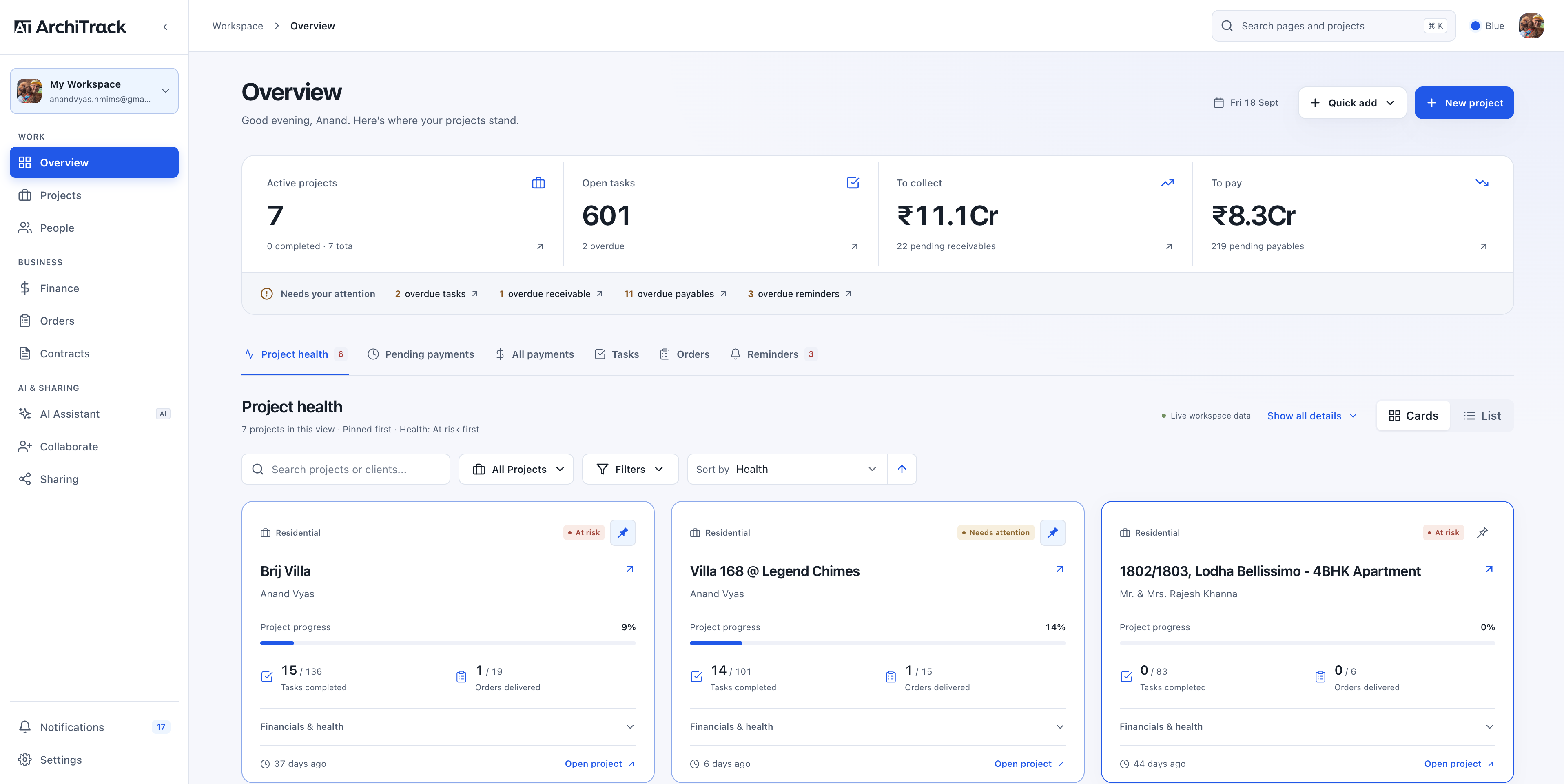
ArchiTrack workspace overview showing active projects, financial balances, and project health cards
Your work. With AI on hand.

Plan. Ask. Take action.

Workspace overview · Current web app

AI THAT KNOWS
YOUR PROJECT WORK
01 AI project setup
02 Workspace intelligence
03 Actions in plain language
ArchiTrack AI / Built into the way you work

Less setting up.
More moving forward.

Start with the documents and ideas you already have. Let AI help build the plan, surface the answers, and keep project work moving.

01 / AI BOQ import

Your BOQ becomes
your project.

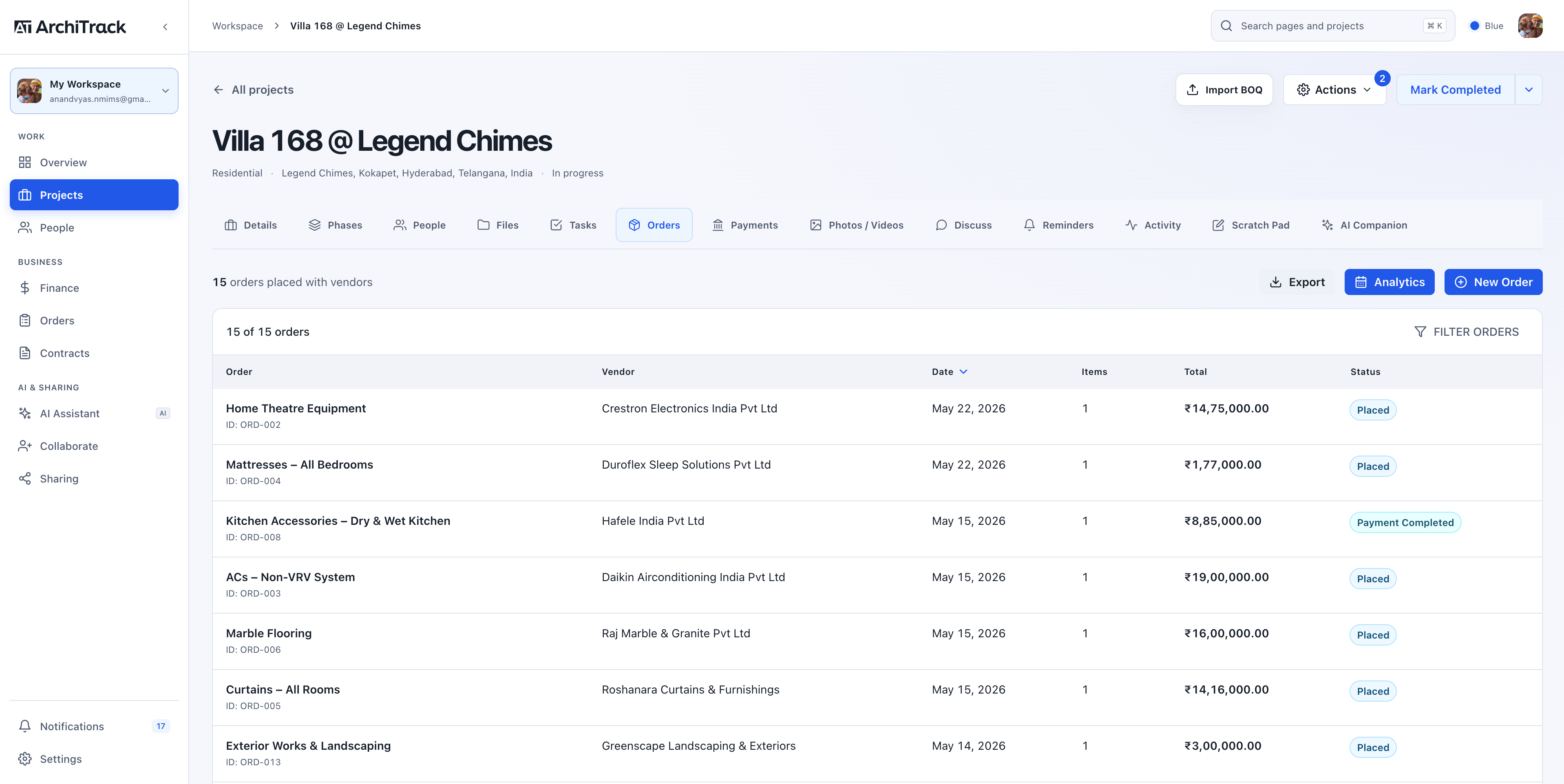
Upload Excel, PDF, Word, or CSV. AI prepares phases, tasks, orders, vendors, and payment records. Review the details, then bring the project to life.

Explore AI project setup
  1. 01
    Bring your BOQThe file you already work with.
  2. 02
    AI builds the structurePhases. Tasks. Orders. Payments.
  3. 03
    Review and createYour project, ready to manage.
02 / AI templates

A brief in.
A project plan out.

Describe the space and scope. Generate a detailed template with phases, milestones, tasks, orders, and payment milestones to tailor to your project.

Start from an idea
03 / Workspace companion

Ask across
your whole studio.

Get answers about your projects, pending work, and finances from the workspace data you choose to share with the AI assistant.

Find your next priority
04 / Project companion

Say what needs
to get done.

Create tasks, update orders, record payments, and manage project details in natural language. The companion works directly with your project records.

See what AI can do
05 / Connected AI assistants

Your projects.
Your favourite AI.

Connect ArchiTrack to Claude, ChatGPT, or compatible Gemini tools. Ask about your workspace and create or update project records from the AI tool you already use.

Explore AI connections
One connected workspace
ClaudeChatGPTGemini tools
ArchiTrackProjects · Tasks · Orders · Payments

Custom connections via MCP. Availability and write access depend on the assistant and plan. Gemini uses compatible tools such as Gemini CLI.

Meet your new workspace

From a scattered brief
to a connected project.

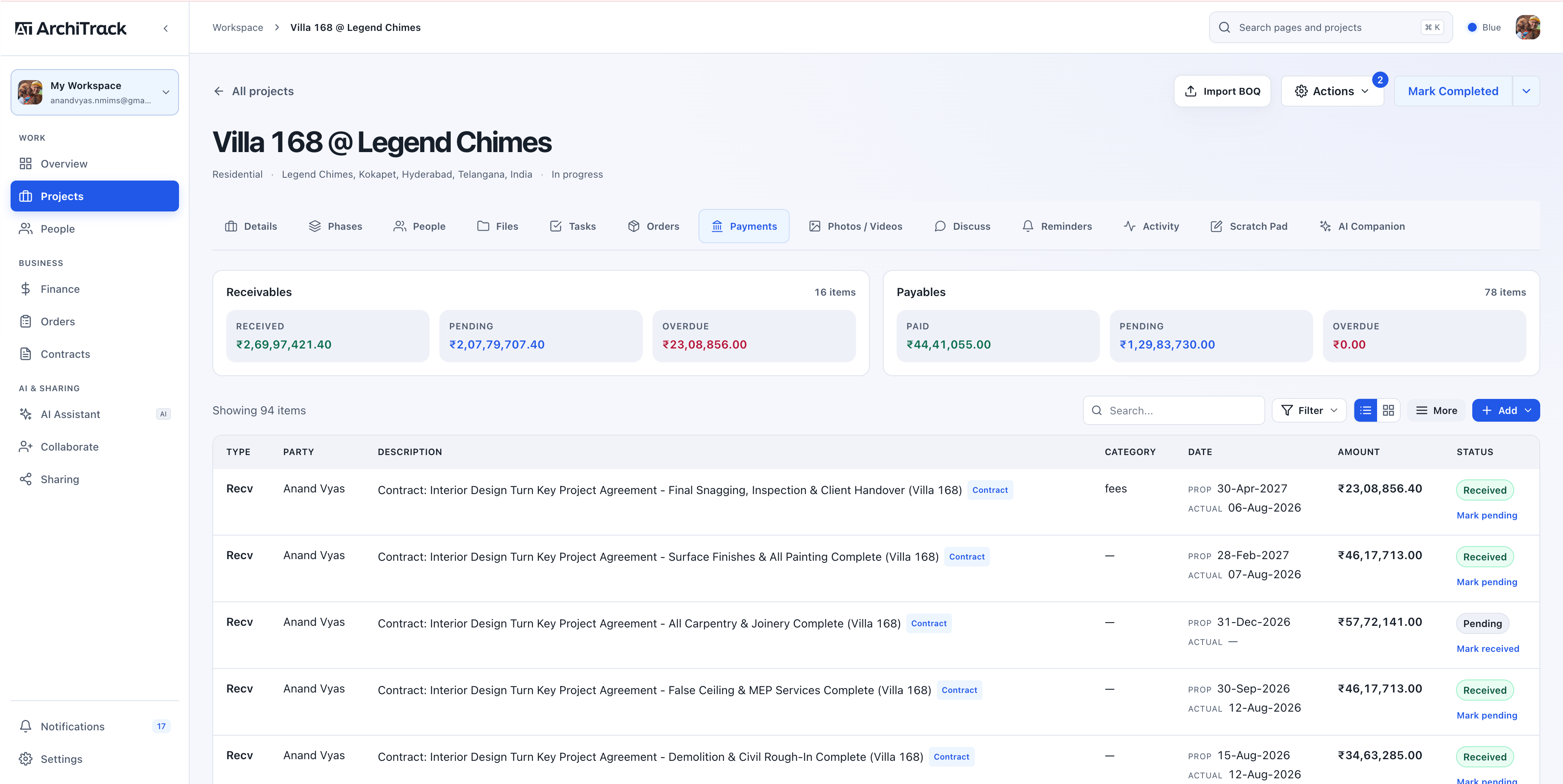
See your studio at a glance, plan project delivery, and explore payments, procurement, and AI insights. One connected workspace, from the big picture to the finer details.

✓ Phases & milestones ✓ Tasks & orders ✓ Payments & budgets ✓ Client portals
For the people who design and build

From first sketch.
To final handover.

Architects, interior designers, and contracting firms share one connected workspace. Shape it around the work you do.

01 / ARCHITECTURE

Architects

Connect design phases, drawing reviews, consultant responsibilities, and client milestones. Keep an eye on delivery across every live project.

02 / INTERIORS

Interior designers

Carry the brief through material decisions, BOQs, furniture orders, installations, and approvals. Keep scope and spend together as the details evolve.

03 / EXECUTION

Contracting firms

Coordinate site tasks, teams, vendors, and deliveries. Follow payments and changes through execution, snagging, and the final handover.

From studio to site

Your workspace.
Wherever work happens.

Check a task during a site visit. Review payments between meetings. Keep your project context close on iPhone and iPad, then pick up on the web when you’re back at your desk.

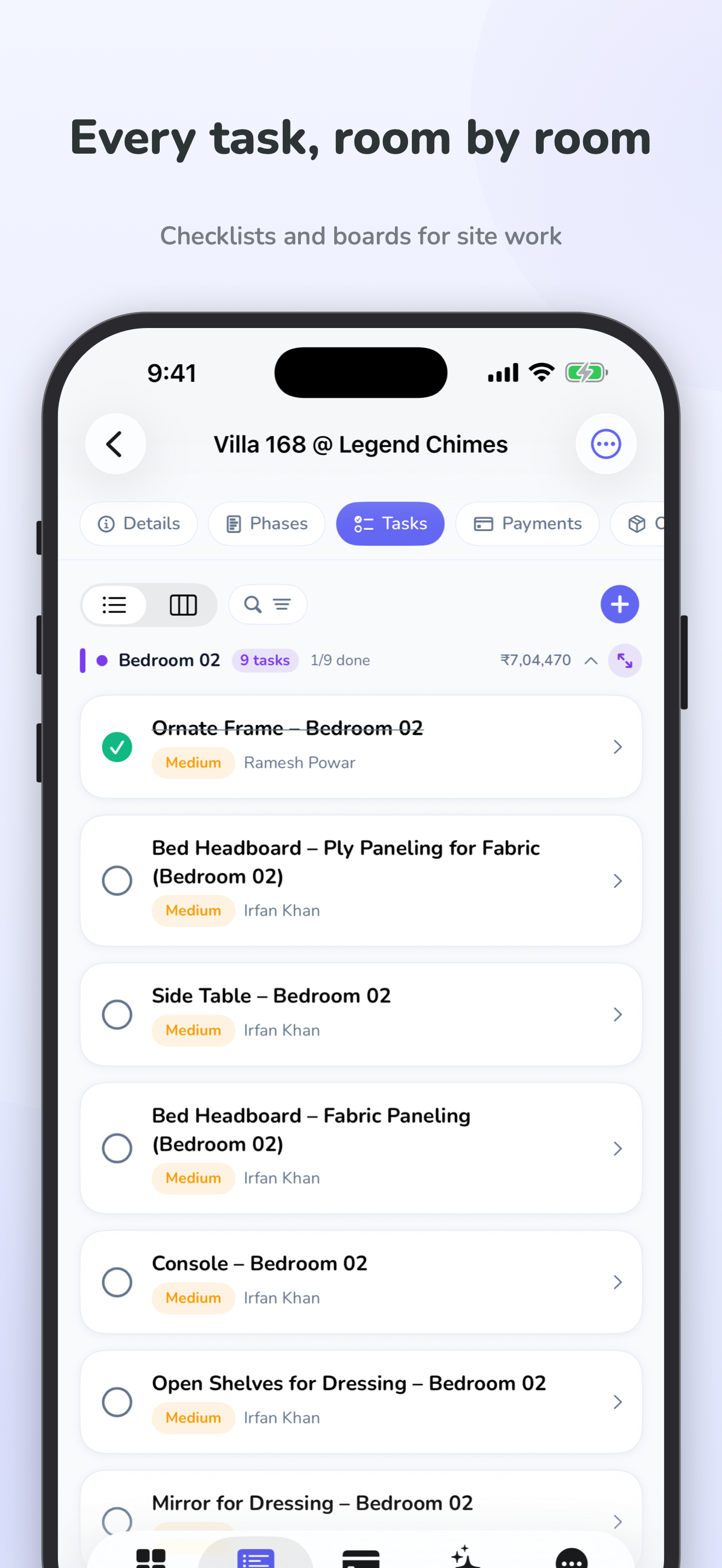
  • Project details, phases, and tasks on the go
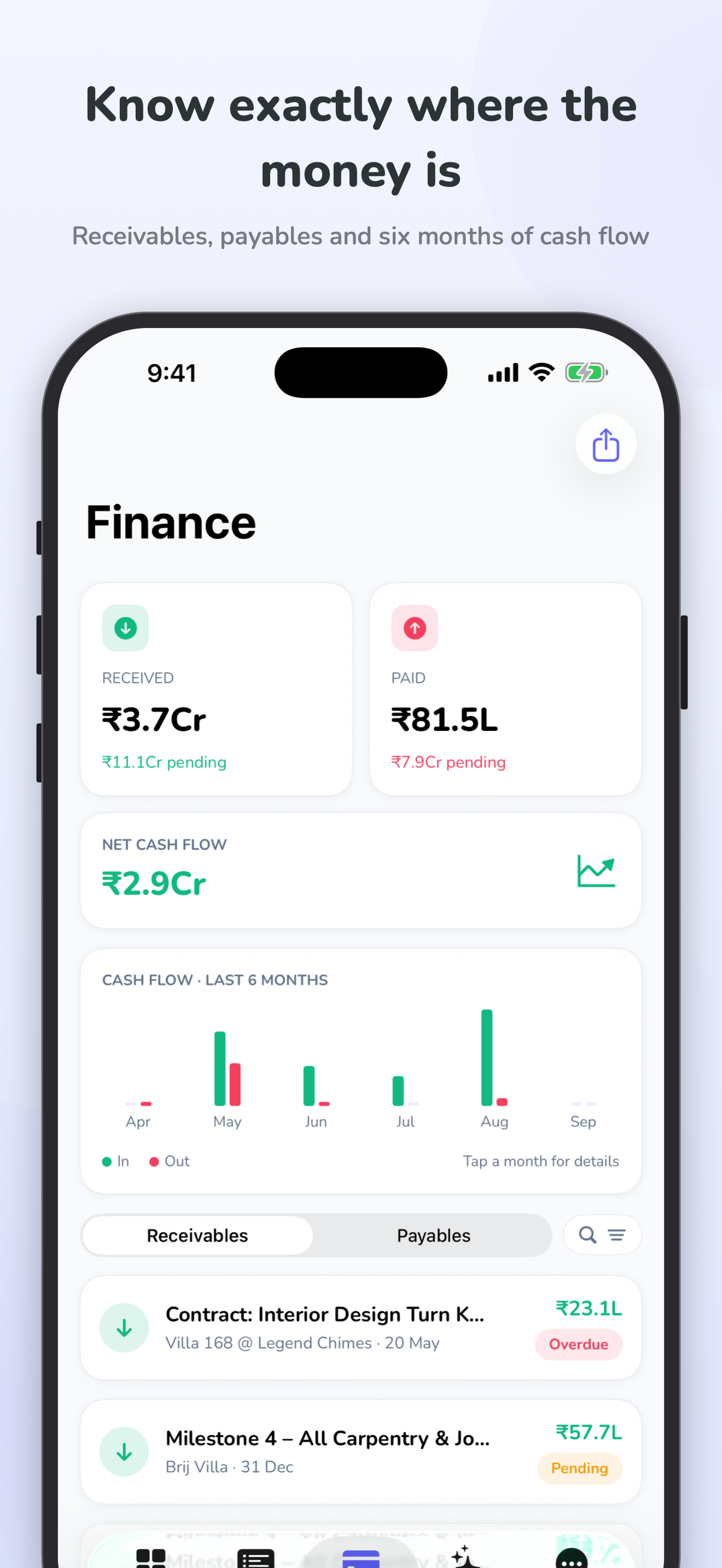
  • Payments and finances in the same workspace
  • An interface designed for iPhone and iPad
See the mobile experience
ArchiTrack iPhone app showing project tasks and priorities ArchiTrack iPhone app showing the financial dashboard
A little more clarity.

Good questions.
Clear answers.

Choosing a workspace is a studio decision. We’re here to help you find the right fit.

Talk to our team
Who is ArchiTrack for?

ArchiTrack is project management software for architects, interior designers, and design-and-build teams. It brings project delivery, finances, orders, contracts, and client coordination into one workspace.

Can I bring my existing BOQ into ArchiTrack?

Yes. Import a BOQ in Excel, PDF, Word, or CSV format. AI helps organise it into tasks, orders, phases, and payment records. Review the proposed information before adding it to your project.

What can ArchiTrack AI do?

Import a BOQ to set up project records, generate templates from a brief, ask the workspace assistant about your studio, or use the project companion to create and update tasks, orders, and payments. Explore all AI features.

Can I manage ArchiTrack from Claude, ChatGPT, or Gemini?

Yes, through a supported custom AI connection. Claude and eligible ChatGPT setups can connect via MCP; Gemini is supported through compatible tools such as Gemini CLI. Available actions depend on the assistant and its permissions. See connection options.

Can clients see their project’s progress?

Yes. Client and vendor portals let you share a project view with the access you choose. You can also export PDF reports for project updates.

How much does ArchiTrack cost?

India plans start at ₹4,999 per month plus 18% GST for Studio. Pro is ₹8,999 and Scale is ₹19,999 per month, plus GST. Compare the plans and included limits.

Can I see the platform before choosing a plan?

Yes. Explore the product screenshots, or book a 30-minute demo to discuss your studio’s workflow.

Your next project deserves
a clearer way forward.

See AI project setup, companions, and connected assistants in a guided demo.